Your node
Every number on the dashboard comes from your own Bitcoin node over RPC. No block explorers, no third-party indexers.
For Bitcoiners who run their own node
Bitcoin Core Monitor is a native macOS app for people who run a Bitcoin node themselves. It reads your own node over RPC, follows your watch-only wallets, and can never hold a private key.
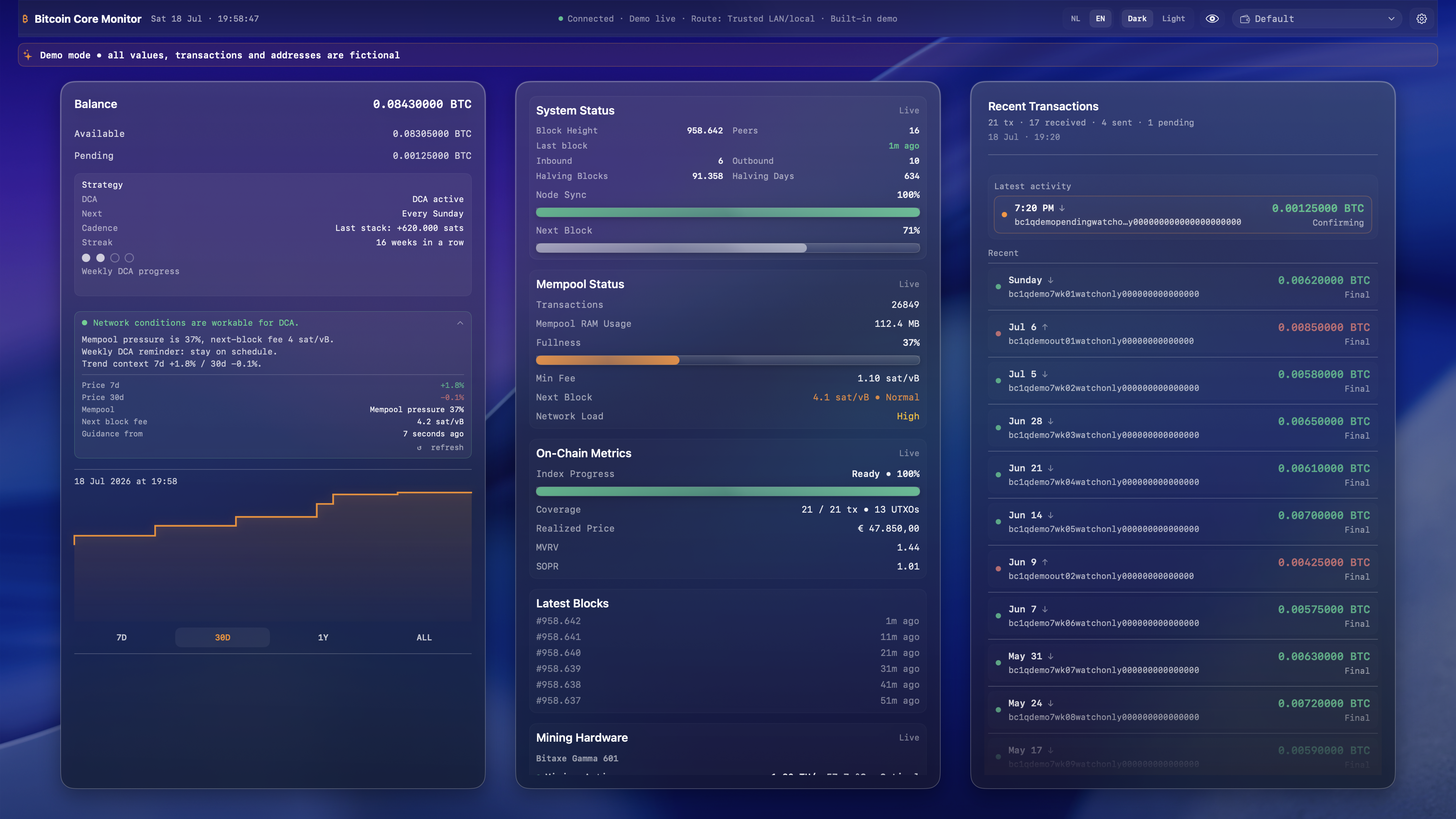
Why Bitcoin Core Monitor
You run a node because you don't outsource verification. Your monitoring shouldn't outsource it either. Bitcoin Core Monitor reads directly from the infrastructure you already trust — yours.
Every number on the dashboard comes from your own Bitcoin node over RPC. No block explorers, no third-party indexers.
Balances, transactions and diagnostics stay on your Mac. Credentials live in the macOS Keychain — nowhere else.
Watch-only by architecture. The app imports public descriptors and can never hold a private key — there is no code path for it.
Node, ElectrumX, mempool, Bitaxe miner — the whole stack you operate, monitored from one native window.
Features
Live status of the node you depend on.
Follow your stack without exposing it.
Know when to move — and when to wait.
Your lottery miner, on the same screen.
One click and the numbers disappear.
Realtime wallet data from your own indexer.
Screenshots
Designed for the glance you give it every morning — and the depth you occasionally need.
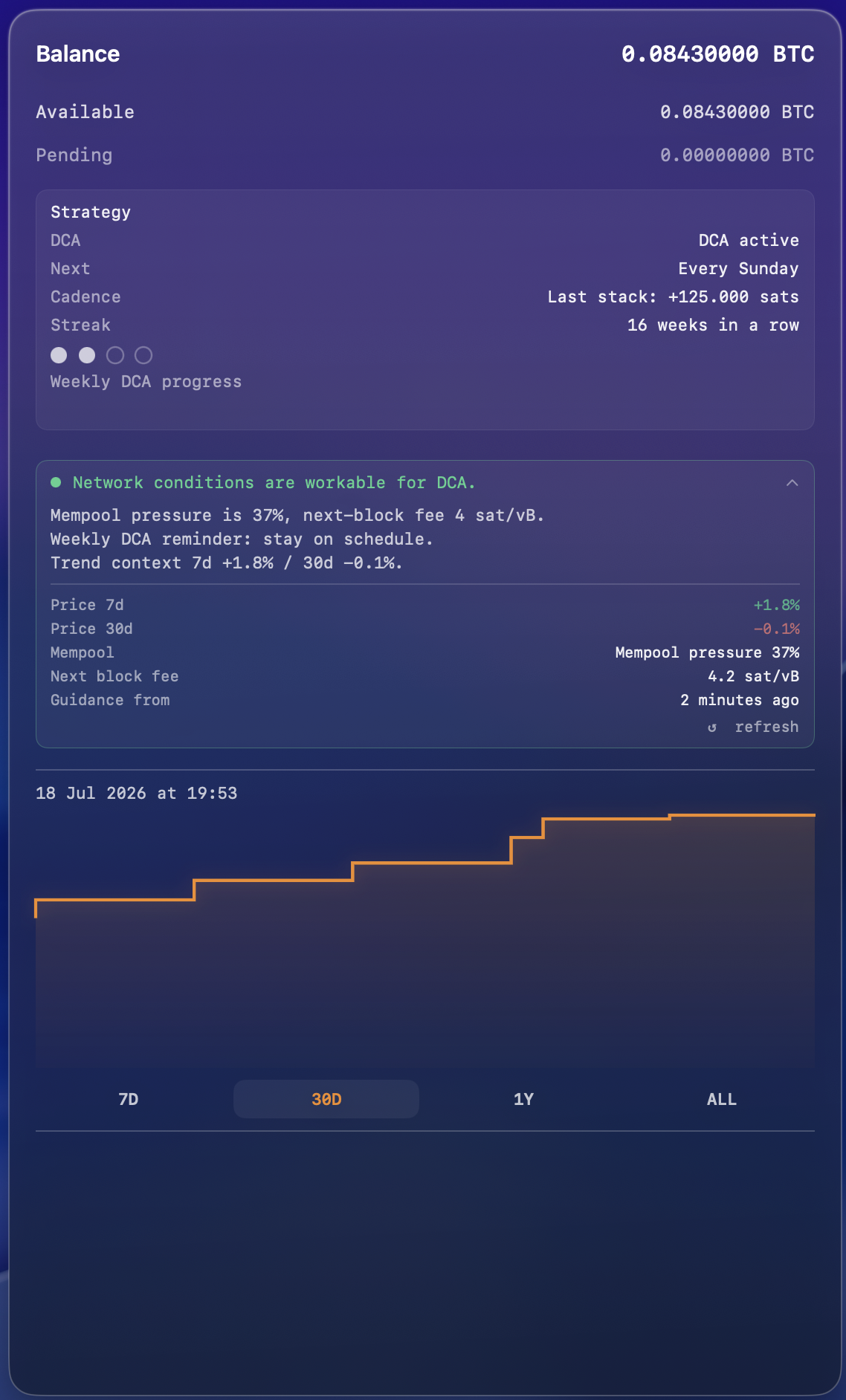
Balance, node health and mempool in one view
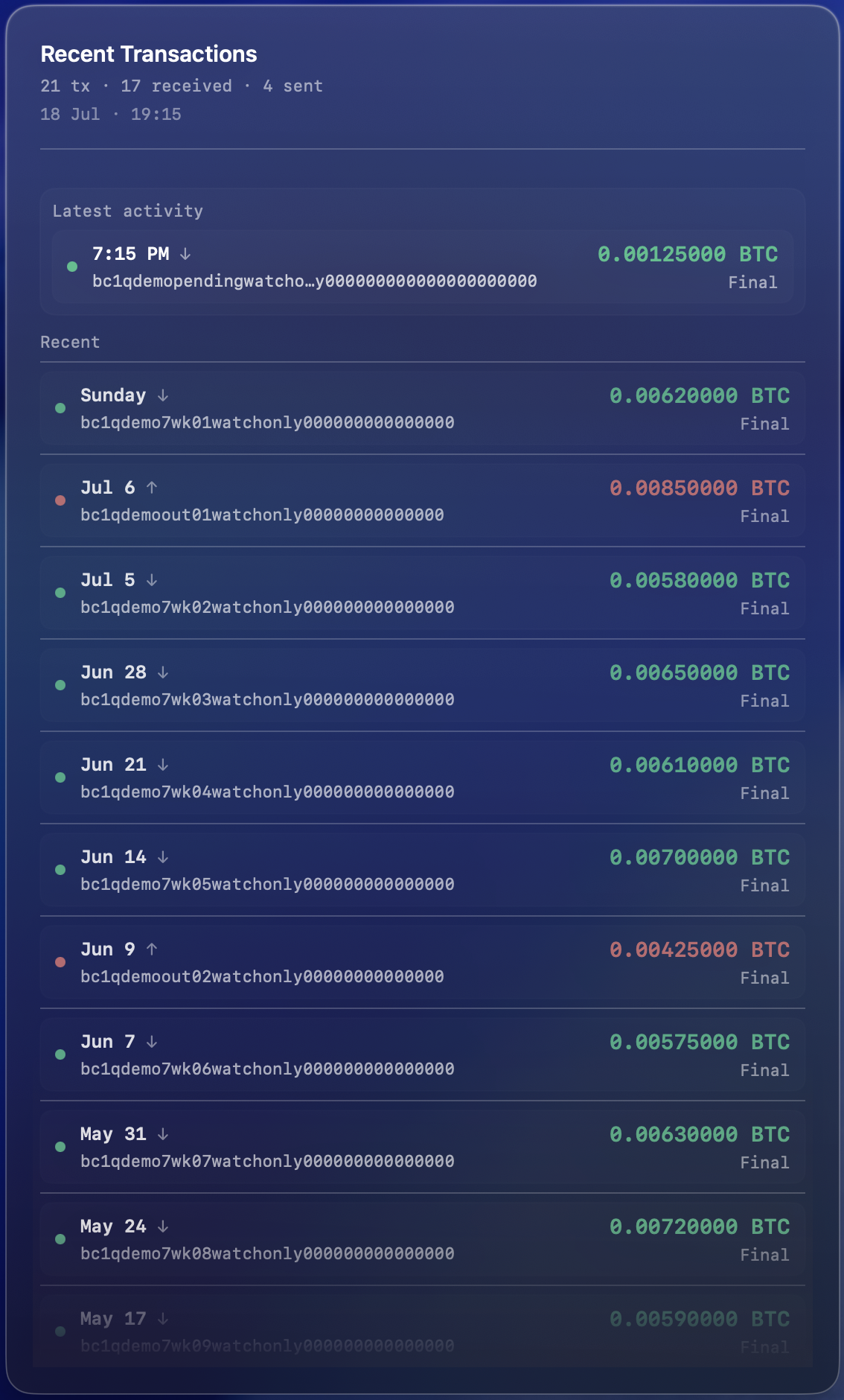
Watch-only history, confirmations, DCA streak
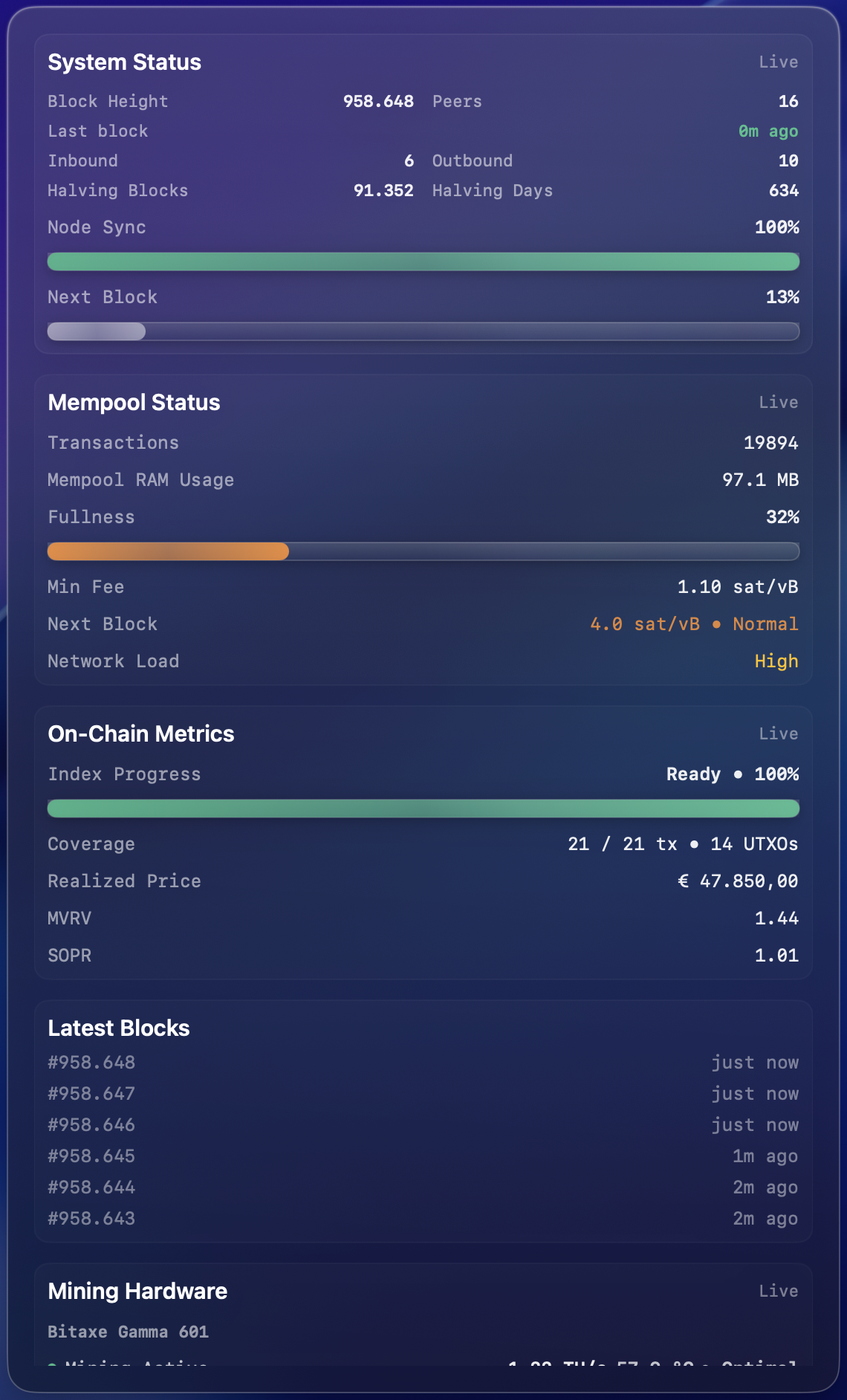
Peers, sync, blocks and freshness
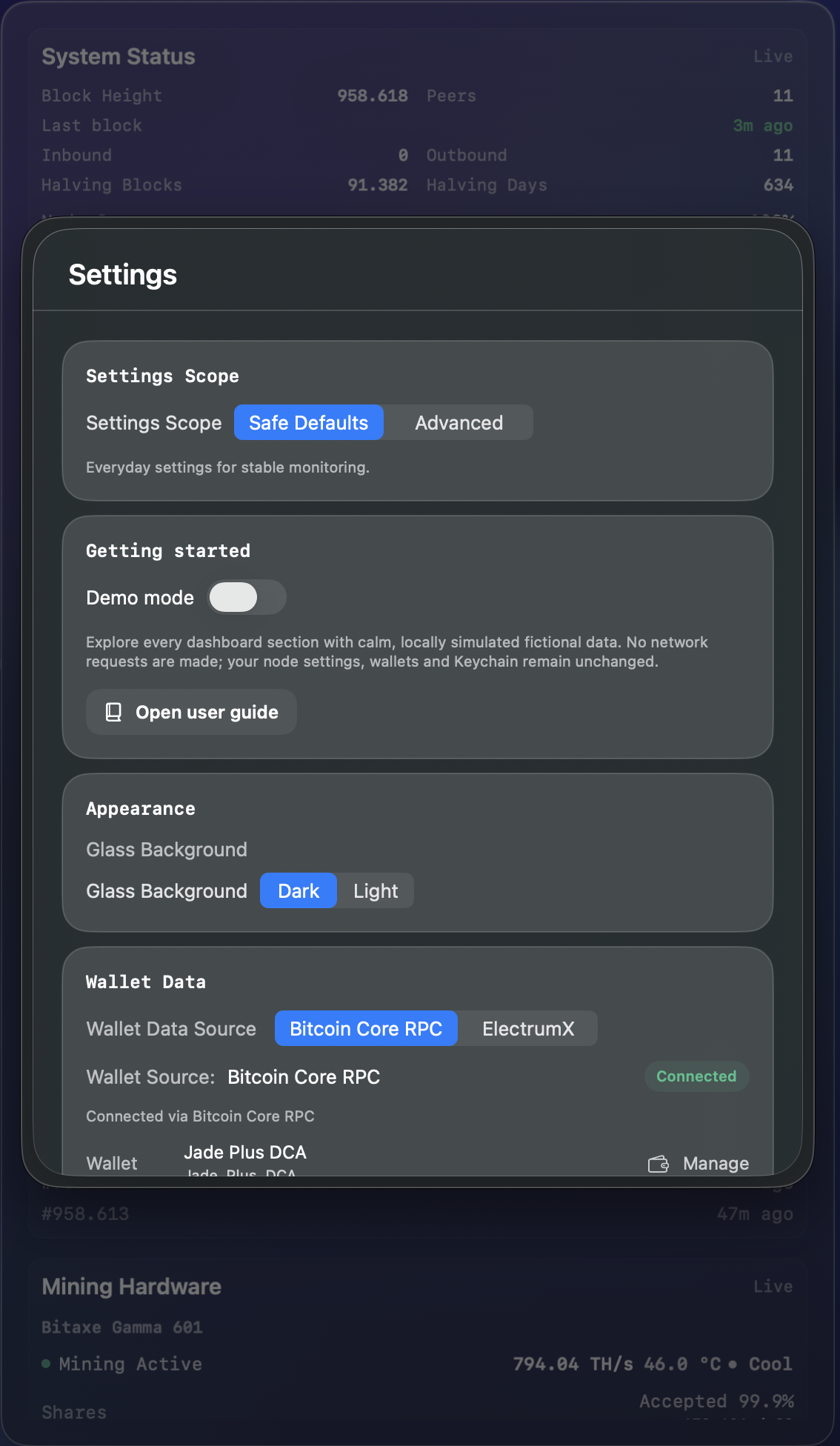
Transport policy, privacy and profiles
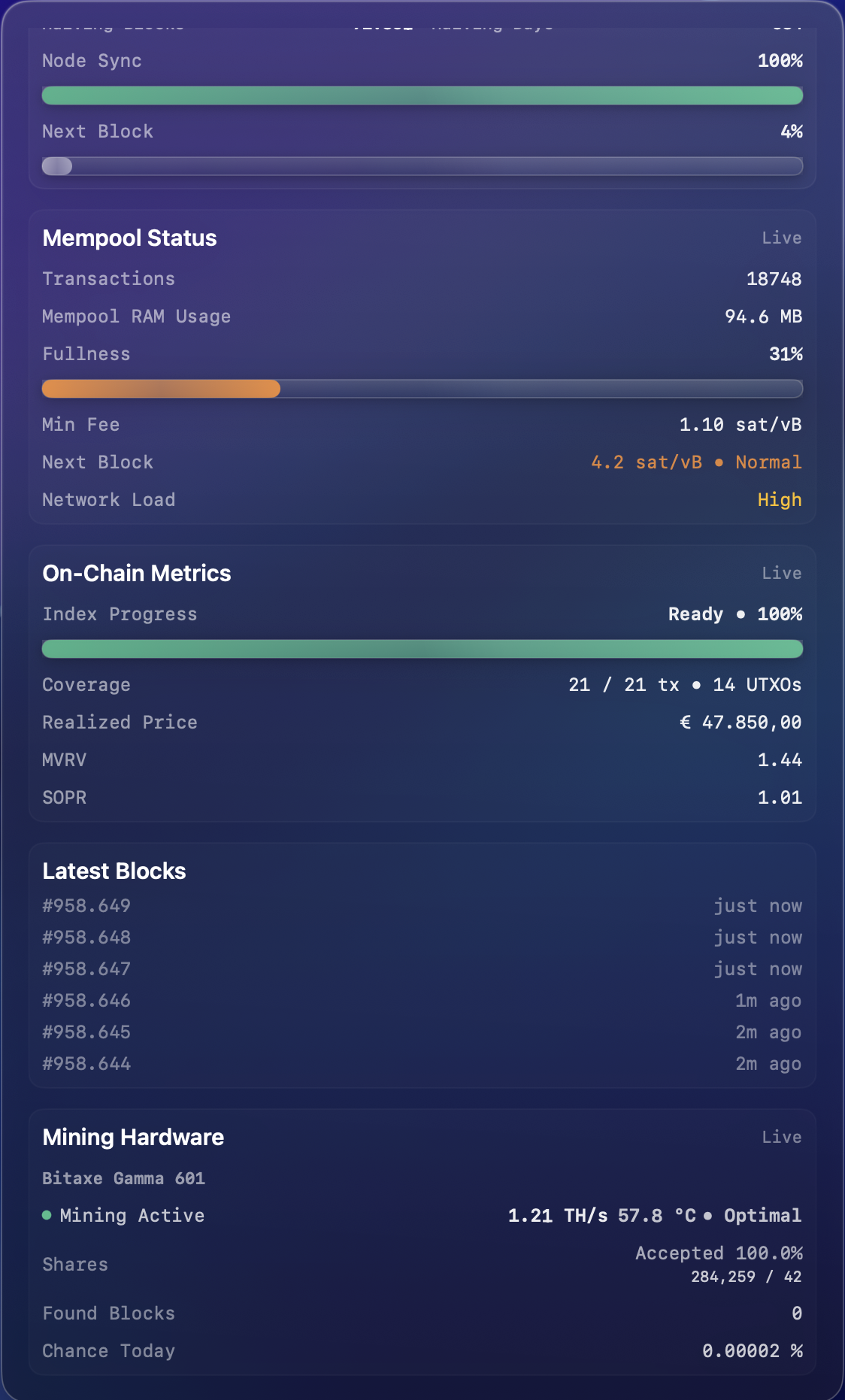
Hashrate, temperature, shares
Why watch-only wallets
A monitoring app has no business holding keys. Watch-only isn't a limitation here — it's the entire point of the design.
What it means
You give the app a public output descriptor or an xpub. From that it derives your addresses and asks your node about them. No private key is ever received, generated or stored.
Why it matters
If this Mac were compromised, an attacker would gain a view of your balance — not the ability to move it. There is no signing code to exploit, no PSBT flow to hijack, no broadcast path to abuse.
How it's enforced
Every connected wallet is verified through your node's getwalletinfo. If private keys ever appear on a wallet, the app halts polling and warns you instead of continuing.
Security philosophy
Bitcoin Core Monitor is built by removing capabilities, not adding them. It cannot spend, sign, or broadcast — so a compromise of the app can never become a compromise of your bitcoin.
Built for self-custody
“Bitcoin belongs on hardware wallets, not in software wallets.”
That conviction shaped every line of this app. A monitoring tool should let you see your bitcoin without ever being able to touch it. Bitcoin Core Monitor watches addresses derived from the public descriptors of your signing devices — Jade, Ledger, or any descriptor-based wallet — while the keys never leave the hardware they live on. If this Mac were stolen, infected, or seized tomorrow, your bitcoin would be exactly as safe as it was yesterday.
Privacy by design
Most Bitcoin dashboards learn your balance because you tell them. This one can't — the only server that sees your addresses is the one you run yourself.
Full details are in the privacy policy.
Supported technologies
A Bitcoin node is required. Everything else is optional — and everything else is yours.
Required
Connects to your own bitcoind over RPC using read-only methods. Block height, peers, sync and verification progress, mempool state and fee estimates all come from your node.
Optional
JSON-RPC over TCP or TLS with a live header subscription, for realtime watch-only wallet data from an indexer you host yourself.
Optional
Hashrate, temperature, share acceptance and overall mining health from a Bitaxe miner on your own network.
Watch-only import
Public output descriptors or xpubs from descriptor-based signing devices such as Blockstream Jade and Ledger. The keys never leave the device.
Node distributions
Anything that exposes Bitcoin RPC works — a packaged node distribution or a machine you assembled and configured yourself.
Remote access
Monitor a node at home from elsewhere over your own tunnel. A strict transport policy blocks non-loopback plaintext unless you explicitly allow it.
Technical highlights
FAQ
No — and it can't. The app imports only public output descriptors and verifies with your node that every wallet has private keys disabled. If a connected wallet ever stops being watch-only, the app pauses polling and warns you.
No. There is no signing, no PSBT support, and no broadcast capability anywhere in the codebase. Spending stays where it belongs: on your hardware wallet and the software you've chosen for it.
It is a viewer, not a wallet. It can display balances, transaction history and confirmations for addresses derived from your public descriptors, but it cannot hold funds, sign a transaction or send one.
No. There is no account, no login, no backend. The app talks to your node, your ElectrumX server and your Bitaxe — all infrastructure you control.
Yes, watch-only. You import the public descriptors or xpubs from devices like Blockstream Jade or Ledger. The app monitors the addresses; the keys never leave the device.
No. The app runs on your Mac and connects to your node over your local network, or remotely over your own WireGuard tunnel. The node can live on a separate machine such as a Raspberry Pi or a home server.
Yes, over your own WireGuard tunnel. The app detects the tunnel and applies a strict transport policy: RPC credentials are never sent over untrusted networks without your explicit consent.
Your Bitcoin node, your ElectrumX or electrs server, and optionally your Bitaxe miner. Market price data is fetched from public APIs — those requests carry no wallet, address or node data.
Yes. If your node exposes Bitcoin RPC and, optionally, an Electrum server, it works — locally or over your VPN. Bitcoin Core and Bitcoin Knots both qualify.
Because pasting your addresses into someone else's website links your identity, your IP and your balance in someone else's database. Your node already knows everything an explorer does — without telling anyone.
Yes. The documentation includes a threat model listing every external call the app can make, and the diagnostics panel shows connection state in real time. Privacy Mode additionally redacts hosts and endpoints from view.
No. No exchange integrations, no candlesticks, no portfolio hype, no tokens. It's a monitoring tool for people who hold bitcoin and run infrastructure — nothing else.